

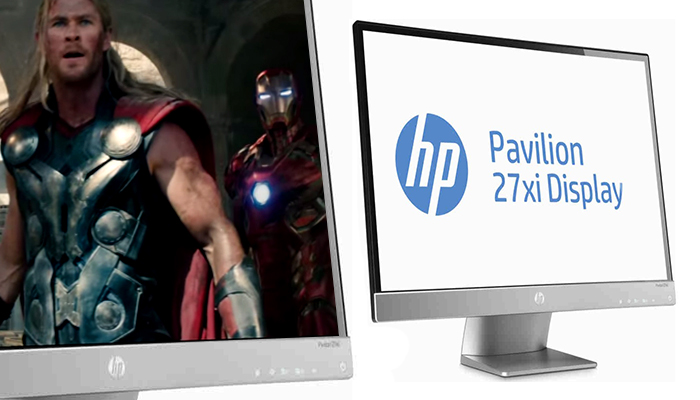
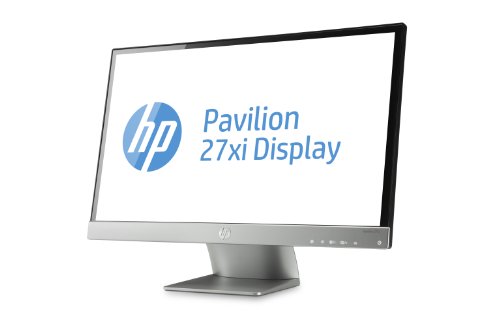
The HP Pavilion 27xi monitor is a very modern and lightweight desktop monitor that is elegantly- styled. This sleek and easy-to-use monitor uses the latest IPS technology that ensures a much wider viewing angle for users. This micro-thin monitor makes it easy for every single person in the room to view photos, videos and games on the screen and experience the same great views from practically any angle they are viewing from.
Thus, the user gets consistent color and picture quality from almost anywhere.
This energy-efficient product has a good screen resolution, great image quality good with brilliant colors and comes at a terrific price to boot. Its energy efficiency ultimately helps reduce energy costs, which is something you might want to put into consideration.
Besides being energy-efficient, the Hp Pavilion 27xi 27-inch screen led-lit monitor would be very appealing to eco-friendly users judging by it product packaging which are manufactured with recyclable plastic and packaging materials.

The display screen of this monitor is also arsenic-free and mercury-free LED back-lighting technology which is incorporated into the monitor as well.
Its ultra-slim design helps conserve precious space as it can easily fit into small spaces.
Connecting to your favorite devices to this monitor is possible with the help of connection ports such as the DVI, VGA, and HDMI ports that have been integrated into the back panel of the monitor.
The unit is also adjustable to accommodate your preferred viewing angle. It can be tilted forwards or backwards or adjusted vertically as the need arises.
The HP Pavilion 27xi 27-inch screen monitor also allows you to create partitions on your monitor screen so that you are able to work with numerous windows and applications open at the same time without experiencing any lag.
Specifications
- Monitor Type – LCD / TFT, E-IPS, LED Backlit
- Format/ Proportion – Full HD Widescreen 16:9
- Screen size (diagonal) – 27 inches (68.58 cm)
- Max Resolution [dpi]– 1920 x 1080
- response [MHz] – 7 ms (Gray To Gray)
- Inclined angle and rotated – Tilt -5 to + 25 degrees
- Display Type – IPS
- Input Connector – VGA, HDMI, DVI-D (WITH HDCP)
- View Angle – 178 degrees both vertically and horizontally
- Screen Features – Plug and Play
- Pixel Pitch – 0.311 mm
- Type of power supply provided – External power supply, Power consumption of 35 W maximum, Standby Mode : < 5 W
- Product’s weight – 5.3 kg (16.2 pounds)
- Product’s dimensions – 19.2 x 45.4 x 62.2 mm (18 x 5.1 x 27.1 inches)
- Product’s Package dimensions – 688 x 130 x 458 mm
- Product’s Package weight – 7.2 kg
- Product’s Package contents – HP Pavilion 27 “monitor, VGA cable, DVI-D cable, AC power cable, Power Adapter, User guide/ documentation CD etc.
- User Controls – Source control, Language, Factory reset, Contrast, Color, Picture control, Control menu etc.
 PROS
PROS
- The monitor’s screen causes little glare
- The product unit is relatively light yet, it also has a compact build.
- It is very easy to set up and install this monitor for home or office use.
- It features an intuitive control panel on the monitor.
- The screen resolution is very commendable.
- It has several types of connection ports for easier connectivity with other devices
- It is quite affordable
CONS
- Unlike many monitors that come with HDMI input ports, this monitor has no speakers and neither is there any input port (like headphone jack input) to connect the unit to speakers.
- The monitor has no in-built camera
- This monitor does not have VESA mounting capability.
- The 1920 X 1080 dpi resolution of this monitor is not really the bet possible resolution for a 27 inch monitor. A better resolution for a 27 inch monitor would be 2560 X 1440.
- The velocity response of 7ms of this HP Pavilion 27xi monitor is not ideal for gaming. Response times of 5ms to 1ms are more suitable.
 Final Verdict
There is no doubt that HP has released several top-notch products over the years. Many will agree that this is one of their best offerings both in terms of quality and functionality.
Many users have written reviews online expressing delight with the way it works and how efficient this monitor is. Images will appear crisp and sharp with less blur and distortion on the screen.
If you need a monitor for watching movies, playing your favorite online games or for any other mode of entertainment, a big screen would definitely offer a more pleasant viewing experience. The HP Pavilion 27xi monitor is a high-end desktop monitor with full HD capability and excellent picture quality.
Although, in-built speakers would have been a welcome addition to its key features, nevertheless, it a great product that is suitable for daily home use, playing games and all-round productivity.

1 Comment
Love this monitor. I upgraded from the HP Envy 24 inch to this 27 inch. Hands down Hp makes monitors that are built to last. Great review by the way.